Features
Everything you need to run a newsletter from WordPress
All of it in the free plugin, with no limits on subscribers or sends.
Visual email editor
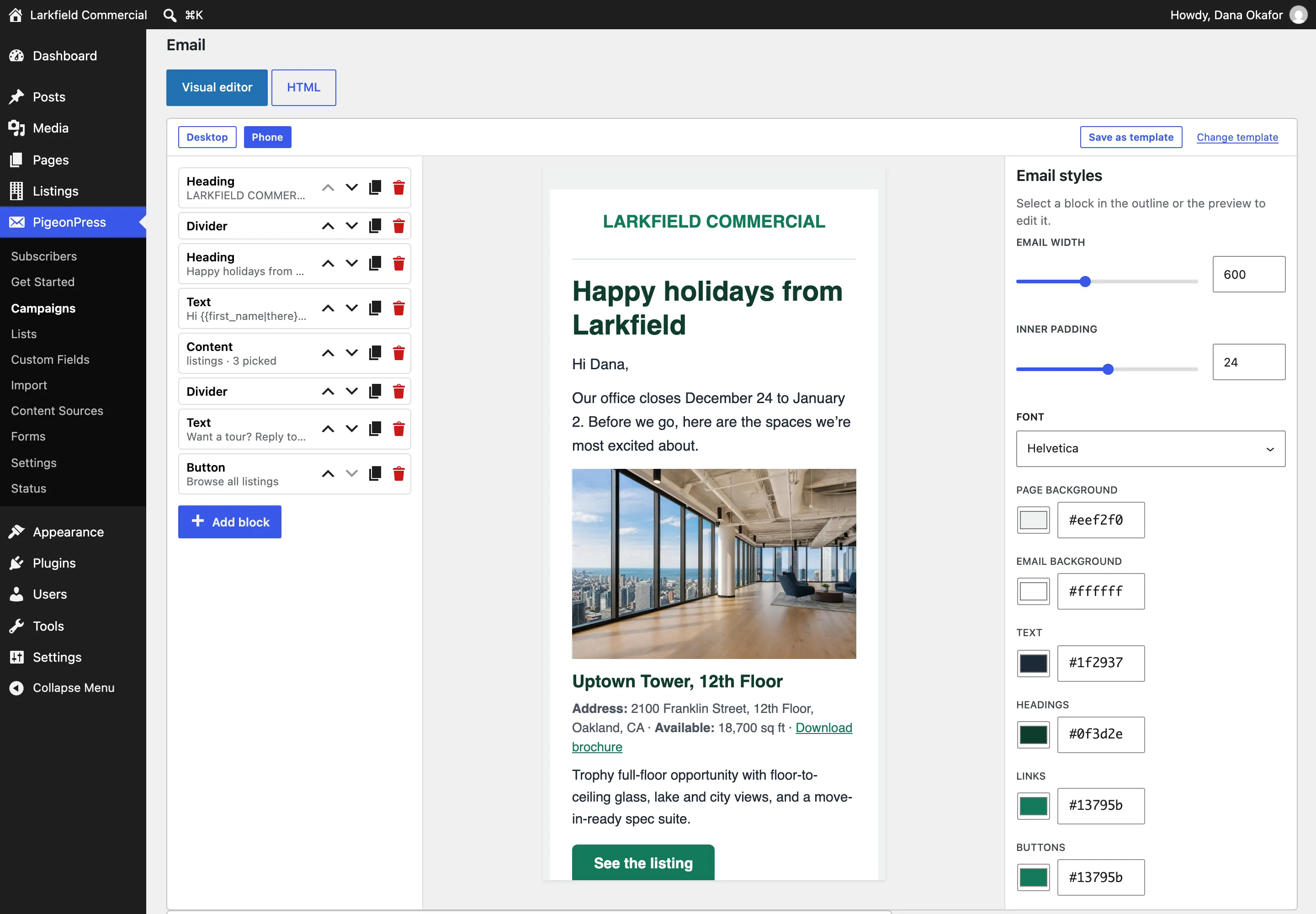
Design emails with blocks and see exactly what will be sent. The preview is rendered by the same code that sends the email.
- Blocks: heading, text (bold, italic, links, lists), image, button, divider, spacer, 2–3 columns, HTML and Content
- Desktop and phone preview; columns stack on small screens
- Email-safe output: table layout, inline styles, Outlook wrapper, bulletproof buttons
- Templates: Blank, Newsletter, Listing announcement, plus “Save as template”
- Prefer code? The HTML tab takes hand-written campaigns
Emails from your own content
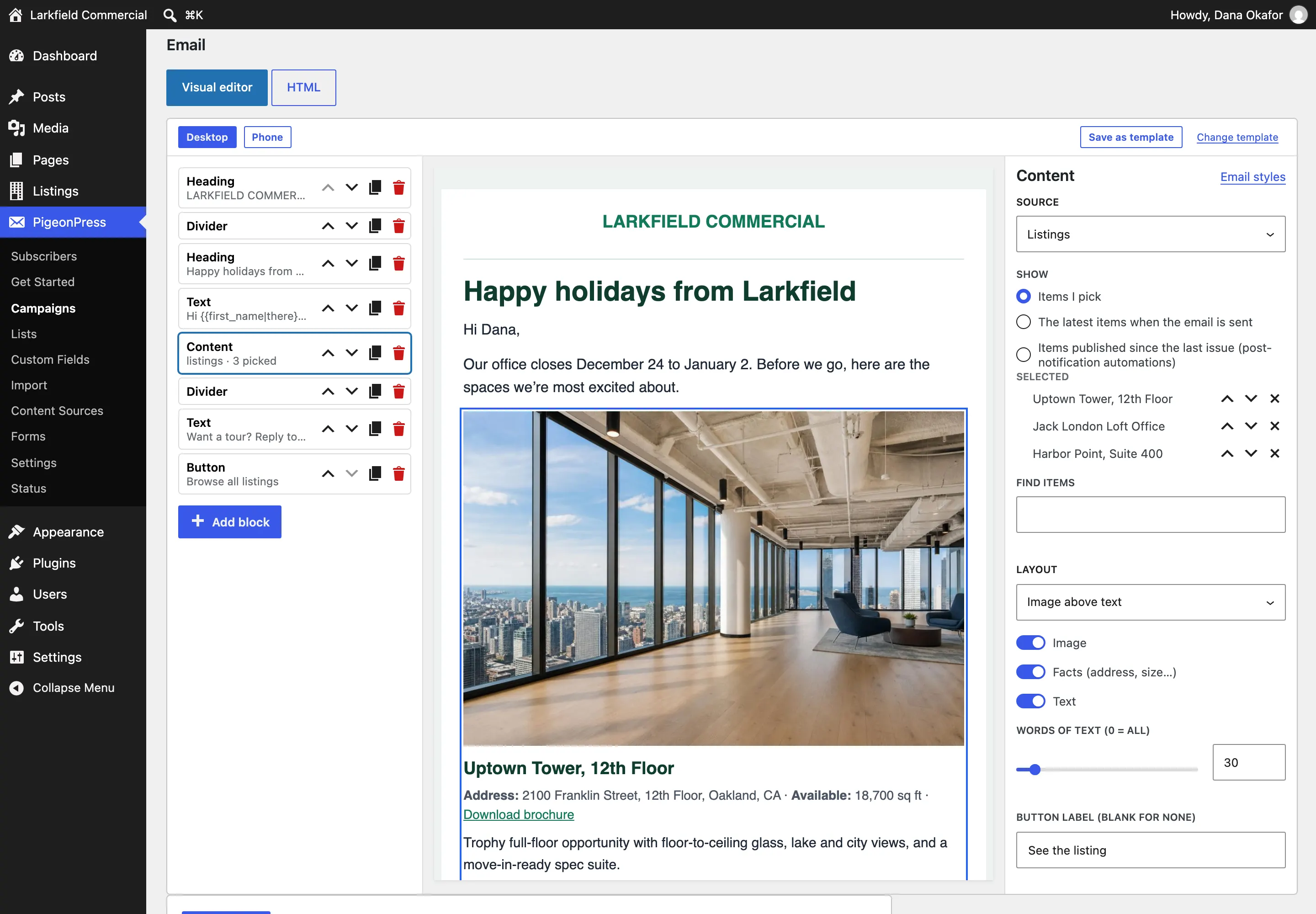
Turn any post type into email content. Map its fields once, then drop posts into any email by hand or automatically.
- Works with posts, pages, products, listings, events: any post type
- Custom fields and ACF (including images, files and repeaters)
- Hand-pick items, or take the latest N, filtered by category or any taxonomy
- List, stacked or two-column grid layouts
- Presets for blog posts and real estate listings; export and import sources as JSON
Signup forms
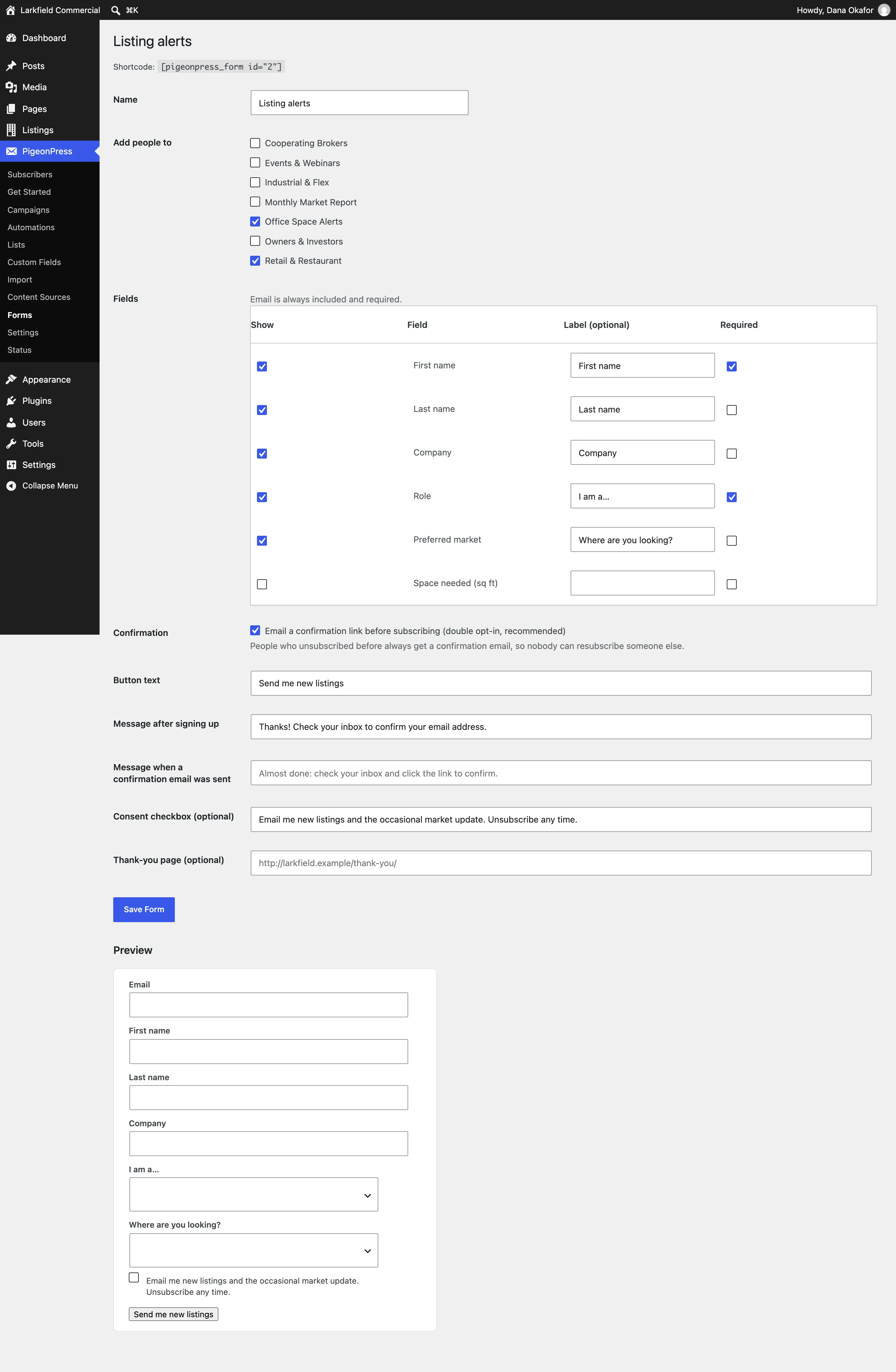
Grow your list with forms that work on cached pages and keep bots out without annoying people.
- A block and a [pigeonpress_form] shortcode
- Name, custom fields, list choices and an optional consent checkbox
- Double opt-in on by default, with a confirmation email you write
- Spam protection without a captcha: honeypot, signed timestamp, rate limit
- Contact Form 7: add an opt-in checkbox to any form
Campaigns
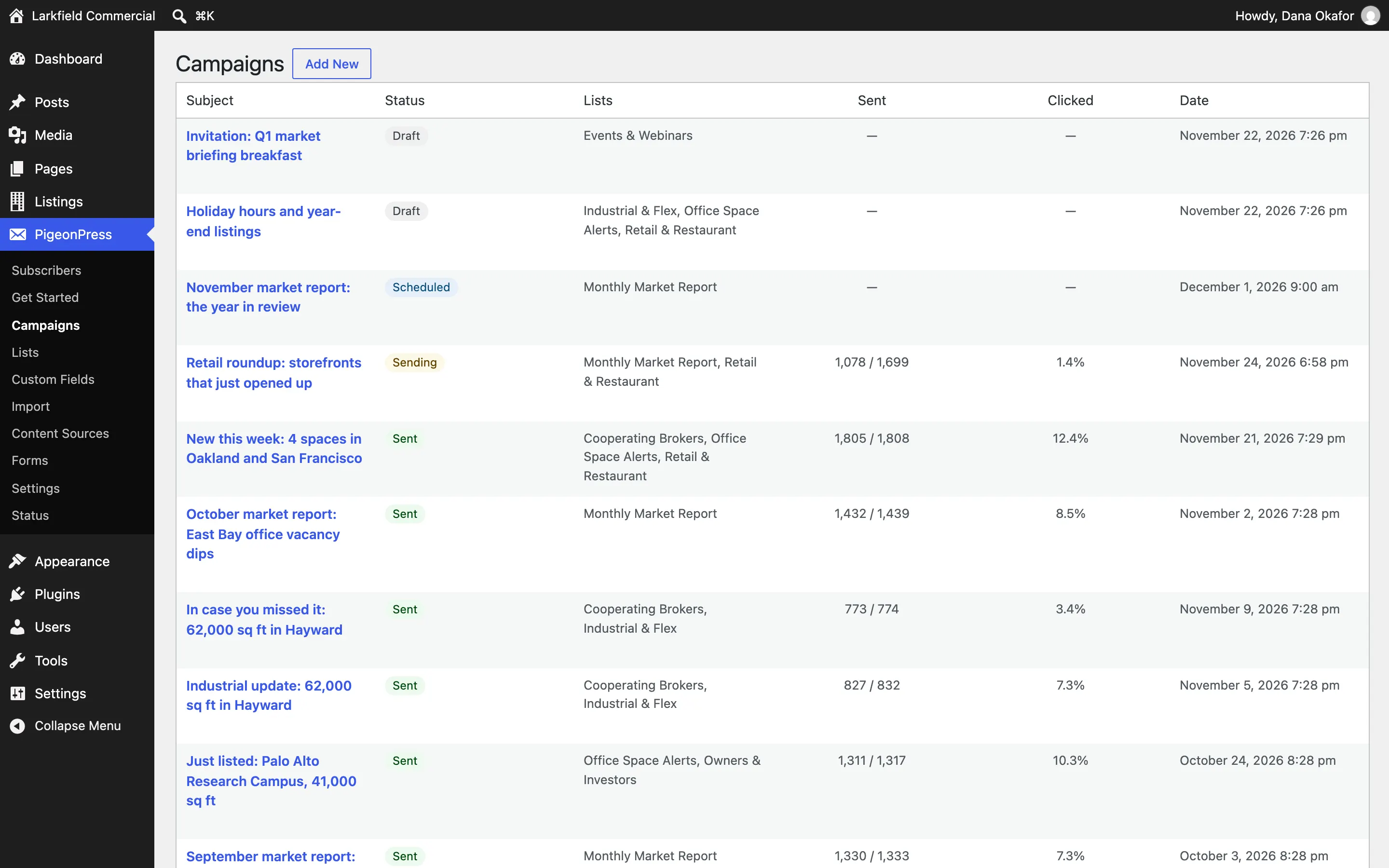
Send now or schedule for later, then see who really read and clicked.
- Send now or schedule; test sends; pause, resume and cancel
- Re-sends that skip people who clicked or were mailed recently
- Reports with Apple Mail Privacy Protection opens and scanner clicks filtered out
- Coming in Pro: welcome emails, new-post notifications and digests, re-engagement emails
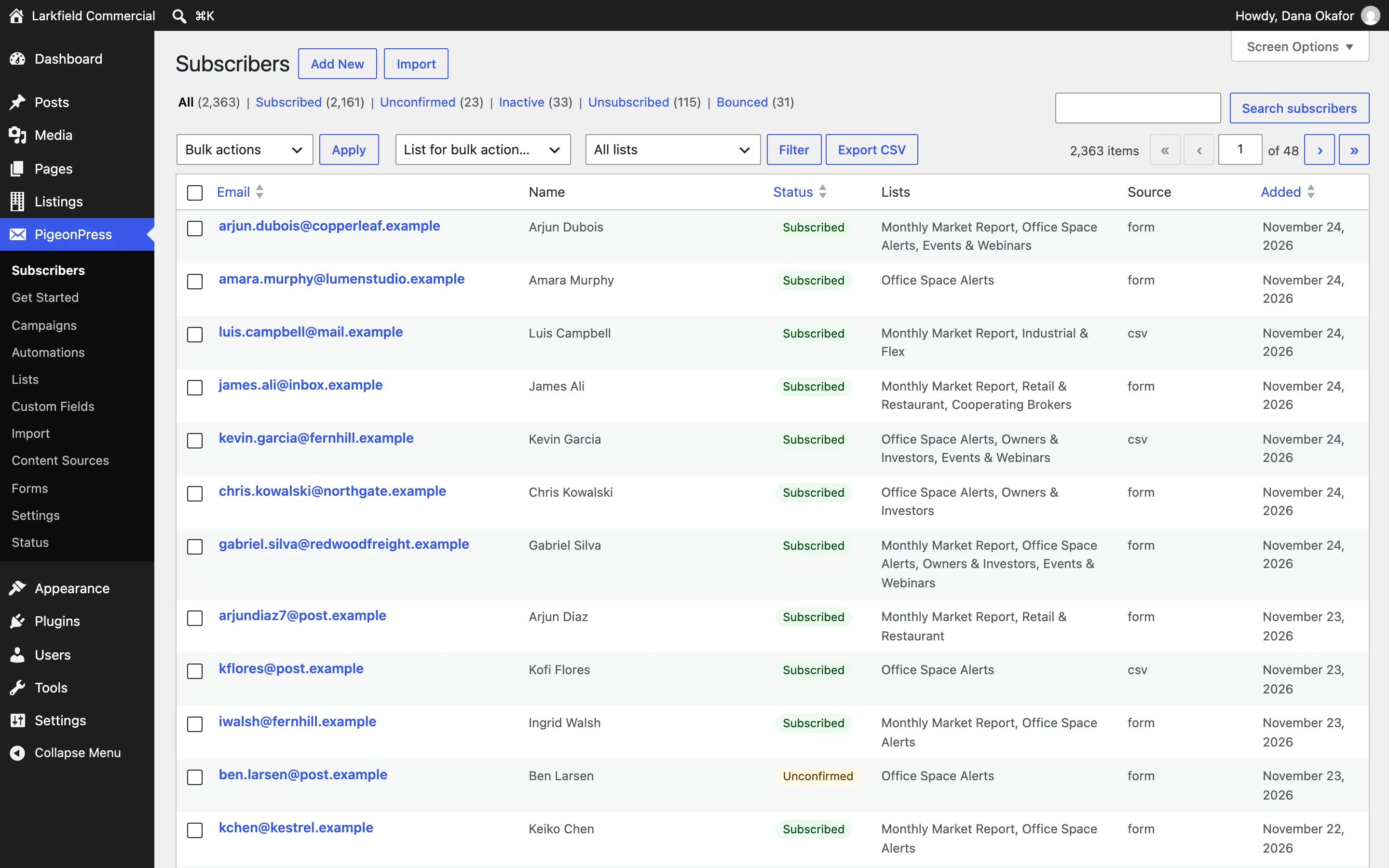
Subscribers and lists
Everything you need to keep a clean, consented list.
- Lists and custom fields
- CSV import with column mapping, batched for big files; CSV export
- One-step MailPoet import, including consent details and suppressions
- A suppression list that imports and forms can never override
- Bulk actions, search and filters
Sending and deliverability
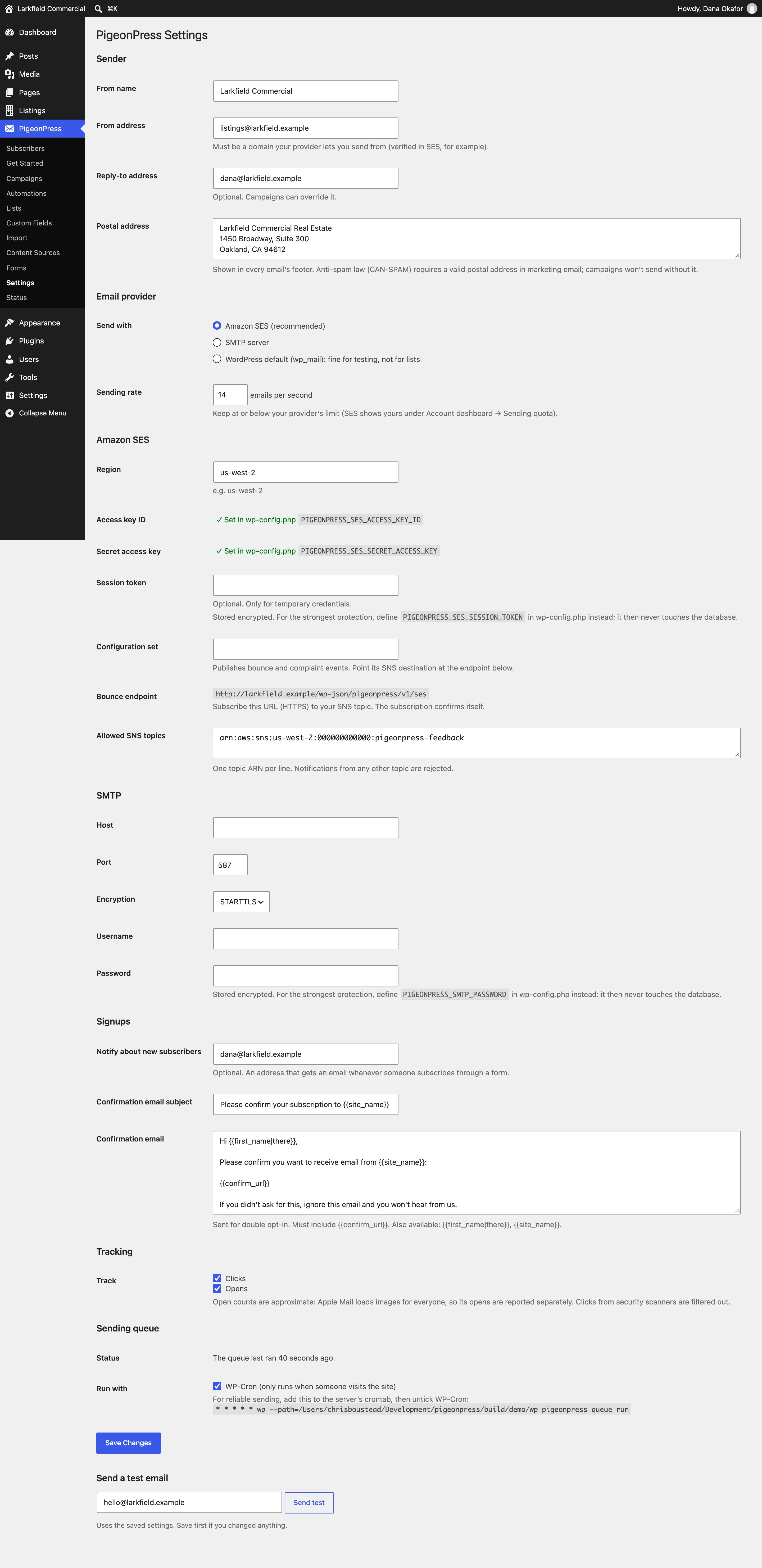
Send through a provider you choose, with the details inbox providers look for already handled.
- Providers: Amazon SES, SMTP (any provider), WordPress wp_mail
- RFC 8058 one-click unsubscribe headers, postal-address footer, plain-text part
- Amazon SES bounces and complaints via SNS, with signature checks
- Credentials encrypted at rest, or kept in wp-config.php
- Clone guard: sending pauses automatically on staging copies
- A rate-limited queue run by system cron every minute (WP-Cron as a fallback)
And everything from the command line
wp pigeonpress import mailpoet
wp pigeonpress import csv contacts.csv --list=newsletter --status=subscribed --consent
wp pigeonpress campaign send 12
wp pigeonpress campaign resend 12 --skip-clicked --skip-sent-days=7 --send
wp pigeonpress queue run
wp pigeonpress export subscribers.csv --status=subscribed
Send to everyone. Pay for no one.
PigeonPress is free, with no subscriber caps. Get it the day it lands on WordPress.org.